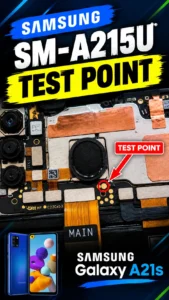
What Is the SM-A215U Test Point? The Samsung Galaxy A21, model SM-A215U, has a small test point on…
657October 26, 2026020
FreeDownload
Test points and ISP pinouts are specialised hardware contacts on a smartphone’s printed circuit board (PCB) used by technicians for deep-level device repair, flashing and recovery. Shorting a test point to ground while plugging in a USB cable forces a dead, bricked or locked phone into a low-level recovery mode — Qualcomm EDL (9008), MediaTek BROM, or UniSoc diagnostic mode.
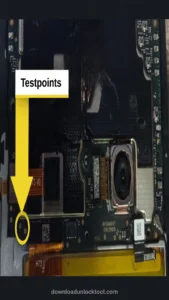
A test point is a specific gold or copper contact pad on the phone’s mainboard. By shorting (bridging) two points together — often with a metal tweezer — while plugging the USB cable into a computer, technicians force the processor to bypass the normal boot sequence and enter a deep-level service and flashing state.
An ISP (In-System Programming) pinout is a set of direct hardware solder points mapped to the phone’s internal storage chip (eMMC or UFS). It allows direct read and write access to the storage memory using specialised repair boxes or adapters such as Easy-JTAG or UFI, without removing the eMMC/UFS chip from the motherboard.
| Pin | Meaning |
|---|---|
| VCC | Power supply |
| VCCQ | I/O power supply |
| CMD | Command line |
| CLK | Clock line |
| DAT0 | Data line 0 |
| GND | Ground |
Removing the Google account lock after a hard reset, on supported models
Restoring stock firmware on a dead or bootlooping device
Recovering a phone that will not turn on; write Dump file through EDL or BROM mode
Direct dump and data recovery from a severely damaged board, through ISP
Boot to preloader / MTK mode, repair and restore the IMEI number.
A contact pad on the mainboard. Shorting it to ground while connecting USB puts the phone into EDL or BROM mode.
Direct solder points to the eMMC/UFS storage chip, used for direct read/write without removing the chip.
A test point forces the phone into a recovery mode. An ISP pinout gives direct access to the storage chip itself.
Only if you short the exact point for your model. A wrong point can short-circuit and damage the board.
Do I need to open the phone for a test point? — Yes. Using a test point usually needs opening the back cover and disconnecting the battery.
– SM-A215U Test Point – Samsung Galaxy A21 →
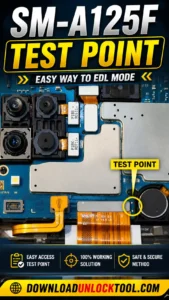
– SM-A125F Test Point – Samsung Galaxy A12 →
– Redmi 14C Test Point →
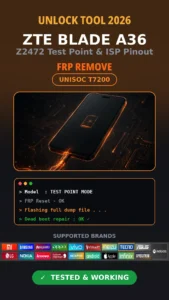
– ZTE Blade A36 Z2472 Test Point →
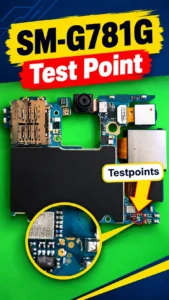
– SM-G781G Test Point – Samsung Galaxy S20 FE 5G →
What Is the SM-A215U Test Point? The Samsung Galaxy A21, model SM-A215U, has a small test point on…
The Samsung Galaxy A12, model SM-A125F, has a small test point on its mainboard. Shorting this point to…
ZTE Blade A36 Z2472 Test Point & ISP Pinout | FRP Remove The ZTE Blade A36 Z2472 test…
Redmi 14C Test Point Unlock Tool If you are looking for information regarding the Redmi 14C test point,…
What Is the SM-G781G Test Point? The Samsung Galaxy S20 FE 5G, model SM-G781G, has a small test…