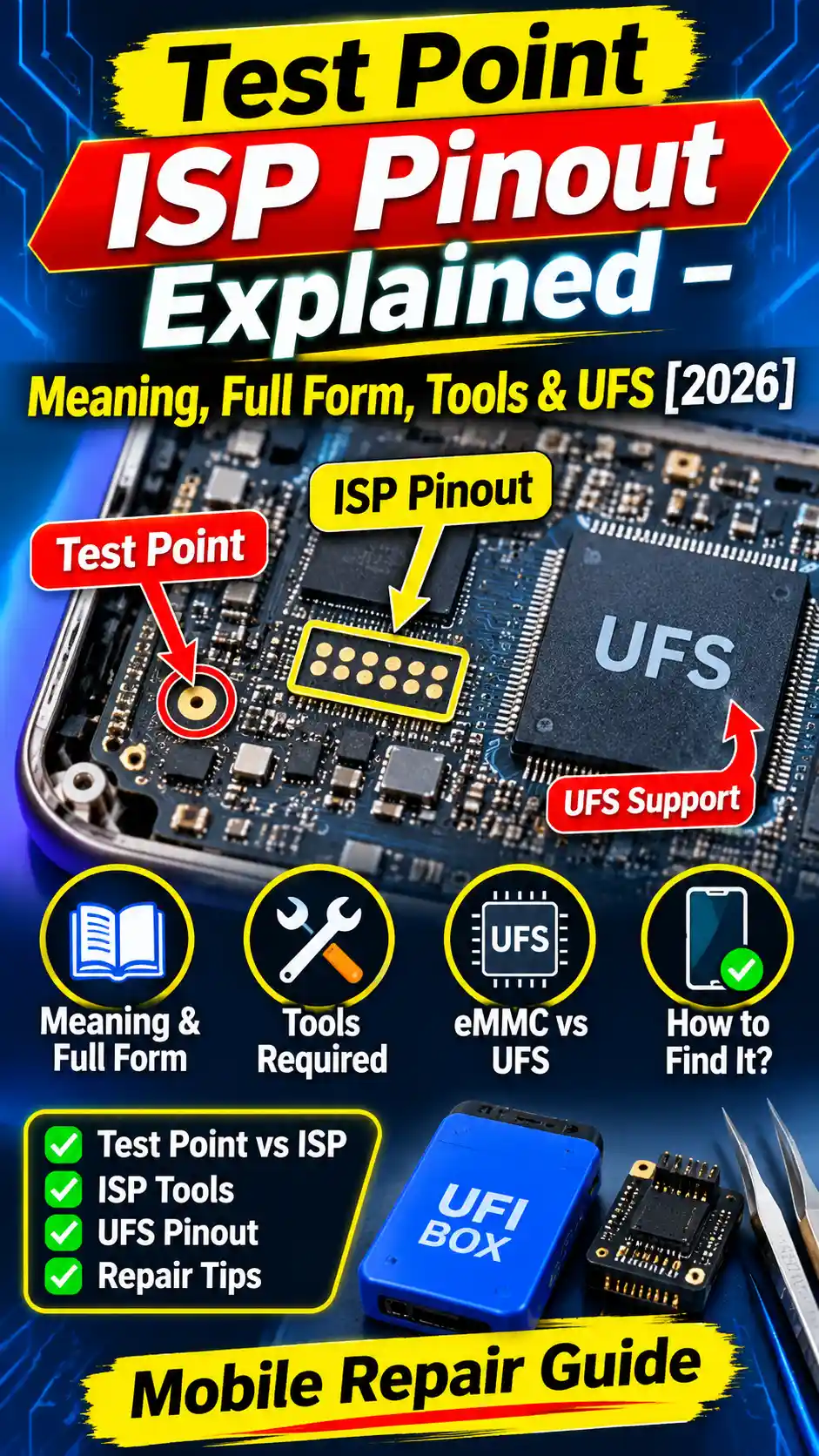
When a phone won’t talk to a PC over a normal USB connection, you need to know about ISP pinouts, test points, and UFS pins. Without that, finding the right connection spot on the motherboard can be a real headache. This article Test Point ISP Pinout Explained what a Test Point ISP Pinout is and how it’s used in practice, so you can pick out the right pinout for your job.
Here’s what you’ll find inside: what a Test Point ISP Pinout is, what it means, how it works, what you can do with it, and what ISP stands for. You’ll also get the basics on UFS connections and the tools you need.
What Is Test Point ISP Pinout? Meaning, Full Form, Tools, and UFS Explained
A Test Point ISP Pinout is a set of connection points on a phone’s motherboard. With these points, a technician can reach the phone’s internal memory directly. It comes in handy when the phone won’t turn on normally, or when you can’t get to the memory through USB.
What Does Test Point ISP Pinout Explained?
Test points are tiny metal contacts on the motherboard. A technician touches a probe or a thin wire to them to connect with a specific circuit on the board. Each point does a different job. If you connect to the wrong one, you won’t get a reading, and you could even damage the board.
What Is an ISP Connection?
ISP stands for In-System Programming. It gives you direct access to the board’s memory circuit, so the phone doesn’t have to start up in normal USB mode. The technician uses a supported hardware tool and connects it to the ISP contacts on the board.
What Does UFS Mean?
UFS stands for Universal Flash Storage. It’s the storage technology used in many phones, and it holds both the operating system and the user’s data. In a UFS ISP connection, you reach specific pins of the memory chip. You’ll also need a pinout diagram for this work. It shows which point on the motherboard connects to which signal.
What Can You Do With It?
You use a Test Point ISP connection to link directly to a phone’s internal storage. It’s mostly useful for technicians who do repairs at the motherboard level. With this connection, you can reach the memory of a supported device.
Access Internal Storage
ISP stands for In-System Programming. Instead of using the normal USB connection, you hook the phone up through specific points on the motherboard. That gives the technician a direct line to the supported storage chip.
Work With UFS Storage
On phones with UFS storage, the ISP connection lets you reach the memory chip. You’ll need the right pinout diagram, because the connection points can sit in different spots on every motherboard.
When Is It Useful?
If a phone isn’t detected in normal USB mode, a technician can try an ISP connection instead. It doesn’t work on every phone, though. You need a supported motherboard and the correct connection diagram.
How Does a Test Point ISP Pinout Work?
A Test Point ISP connection uses specific contact points on the motherboard. The technician attaches ISP wires to these points, which creates a link between the computer and the phone’s internal storage. When this is done on a phone with UFS storage, it’s often called UFS in-system programming.
How the ISP Connection Works
First, you look up the right pinout diagram for the phone’s motherboard. The diagram shows which points to use for the ISP connection. Every point carries its own signal, so each wire has to go in the right spot.
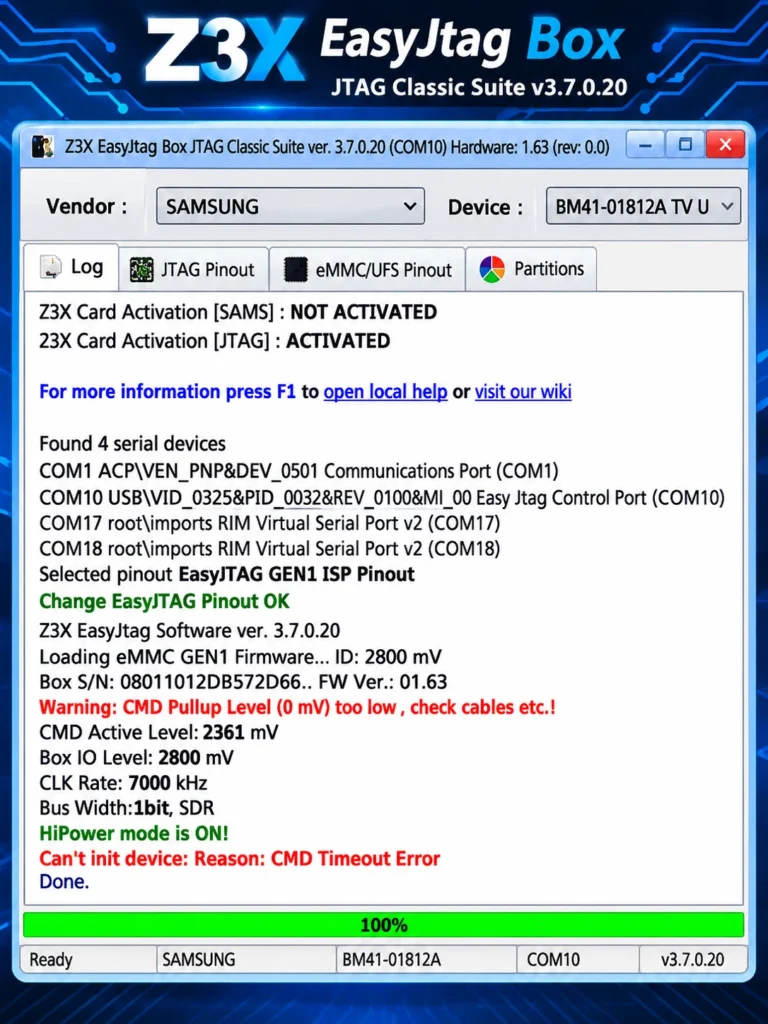
Once the wires are connected, a supported ISP tool like ” EasyJTAG ” starts talking to the memory chip. You open the EasyJTAG / UFI tool on the computer and try to read the device’s storage.
Role of ISP Tool EasyJTAG
EasyJTAG tool is a hardware box with its own software, and it works with the eMMC and UFS memory chips in phones, tablets, and other embedded devices. With it, you can recover data from a dead or hung phone, flash firmware, and deal with problems like FRP or a forgotten pattern lock.
How to Work with an ISP Pinout
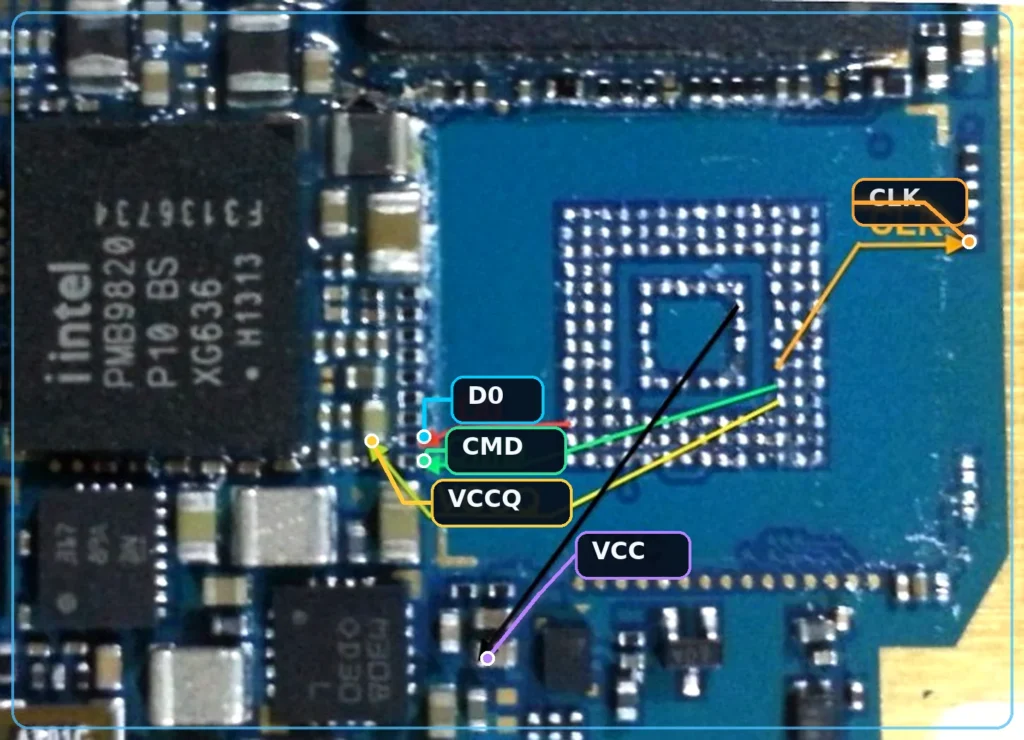
ISP stands for In-System Programming. With this method, you don’t have to take the chip off the board. The phone’s motherboard has test points for the eMMC, named CMD, CLK, DAT0, VCC, VCCQ, and GND. You identify these points with the help of a pinout diagram.
Steps Guide EasyJTAG Tool:
- Take the battery out and clean the board.
- Solder thin wires onto the test points, following the pinout diagram.
- Connect the wires to the EasyJTAG adapter.
- Plug the box into your PC with a USB cable.
- Have the software detect the chip. It reads the eMMC registers and shows you the chip’s details.
- Now you can read a full dump, make a partition backup, or write firmware.
Advantages
- You don’t risk damaging the chip by heating it to take it off the board.
- Your chances of recovering data are better.
- The work is faster and safer.
Applying voltage to the wrong pin can ruin the chip or the board. Check the pinout carefully first, and always run a continuity test with a multimeter.
What Does a Test Point ISP Pinout Look Like?
On the motherboard, these points are tiny metal contacts. The pinout diagram shows where each one sits and what it’s called. The technician follows the diagram to place a probe or wire on the right contact.
Why Do You Need an ISP Pinout?
With an ISP connection, you reach the motherboard itself and connect straight to the storage chip. Depending on the device and the hardware tool, you can also do UFS programming this way. In offline programming, the computer gets direct access to the storage chip without the phone’s operating system ever starting up. For that, you need the right pinout and supported hardware. If a wire goes on the wrong point, the connection can fail. That’s why you should always use the diagram for the exact model of the motherboard.
What Is the Full Form of ISP Pinout?
ISP stands for In-System Programming. It means you connect directly to the storage chip while it’s still sitting on the motherboard, and do the programming work from there. You don’t have to remove the chip from the board.
What Does ISP Mean?
When a technician uses the ISP method, they place wires or probes on specific points on the motherboard. Through those points, the programming tool talks to the storage chip. The connection goes through ISP contacts on the board instead of the phone’s normal USB port.
ISP Programming Explained
In simple terms, ISP programming means reaching the storage through an ISP connection and running the operations your tool supports. The pinout diagram shows which contact each wire goes on. Every point carries its own signal, so you have to use the right one.
You’ll also hear the ISP name come up in field updates, since technicians find it useful to keep up with the motherboard layouts and storage connections of newer devices. Not every phone has the same pinout, so always use the diagram for the exact model you’re working on.
UFS ISP Pinout: Pins Guide
A UFS ISP pinout shows the connection points on the motherboard that let a programming tool talk straight to the UFS storage chip. Each point has its own job, so you need to understand the pin names on the diagram before you attach anything.
Advertisement
Common UFS ISP Pins
You’ll usually see these signal names on a UFS ISP diagram:
- VCC: Main power for the storage chip.
- VCCQ: Power supply for the chip’s I/O circuit.
- GND: The ground connection.
- CLK: Provides the timing for data transfer.
- DATA: Carries data back and forth between the storage chip and the tool.
- RST: The reset signal.
How to Read the Pin Diagram
The diagram gives you the position and name of every pin. Use the diagram for the exact motherboard model of your phone, since the points can sit in different places on different boards. Don’t attach a wire just because the name looks right.
UFS Programming Connection
To program a UFS chip, the connection between the tool and the storage chip has to be correct. A wrong VCC or VCCQ connection can damage the chip. In the same way, if the CLK or DATA line goes on the wrong point, the tool won’t be able to read the storage. The right pinout is the only real fix for this.
TP ISP Pinout Source
TP (Test Point) ISP Pinout diagrams show the exact test points on a phone’s motherboard (CMD, CLK, DAT0, VCC, VCCQ, GND) used to connect to eMMC or UFS storage without removing the chip. You can download these pinouts from several online sources, including the official portals of tools like Chimera Tool and Unlock Tool, which provide model-specific pinout support. Other good sources include the official portals of eMMC/ISP tools such as EasyJTAG, UFI Box, and Medusa Pro, as well as GSM websites, forums, and blogs that share pinout images and files by phone model.
Always verify the pinout against your phone’s exact board revision and check continuity with a multimeter before soldering.
Why the Correct Pinout Matters
To reach a UFS chip directly, you have to know the right ISP points. If the CLK or DATA connection is wrong, the tool can’t read the storage. A wire on the wrong power point can even damage the hardware. Not every TP ISP Pinout Tool supports every phone, so check the list of supported models and functions before you start.
SM6375 ISP Pinout
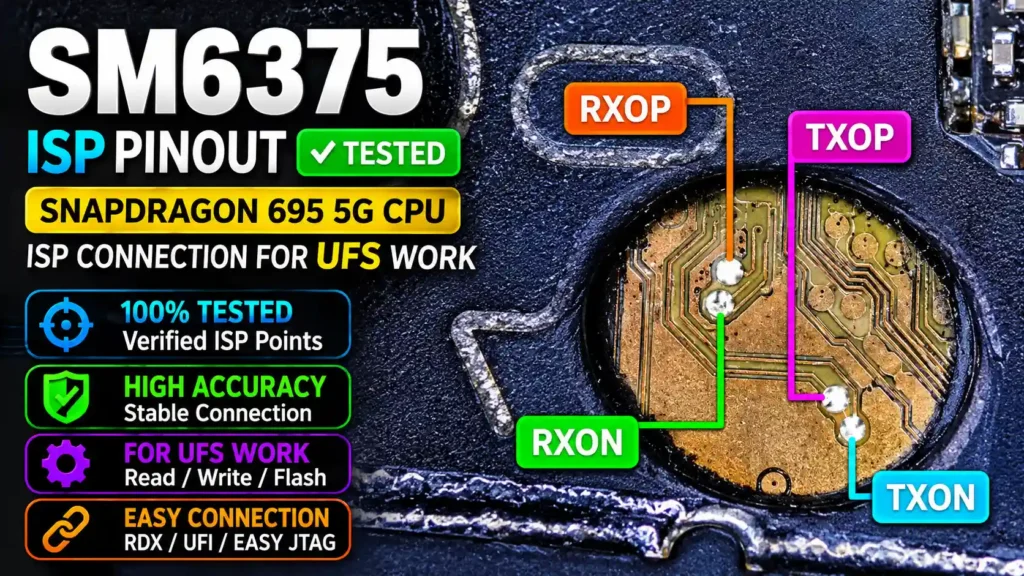
SM6375 is a Qualcomm chipset used in some Android phones. To make an ISP connection on a phone with this chipset, you need the pinout diagram for its exact motherboard. Don’t attach wires just because you see “SM6375” on the spec sheet. Board layouts can differ from one phone model to another.
How to Identify SM6375 ISP Points
Find out the exact model and motherboard number of your phone. Then look up the SM6375 ISP pinout diagram for that model. Match the contact positions in the diagram to the points on the board. The signal name on each point helps you tell them apart.
SM6375 ISP Connection
The ISP tool EasyJTAG connects to the supported storage. You need the correct pin mapping here, or the tool won’t be able to read the storage. Wiring VCC, GND, or the data signals wrong can damage the board or the storage chip.
Offline Socket Programming
Offline socket programming comes up in some service workflows, but don’t assume every SM6375 phone supports it. You need the exact board pinout and a tool that supports that device’s storage.
How to Find MT6891 ISP Points
Find out the exact model and motherboard number of your phone, then get the MT6891 ISP pinout diagram that matches it. Compare the points on the diagram with the contacts on the board. Every contact carries its own signal, so don’t guess where a wire goes.
UFS Storage Support
Don’t assume every MT6891 phone uses UFS 4.1 just because you’ve seen that name. The actual storage type comes from the device’s hardware information. The ISP tool also has to support that storage and that device.
Advantages and Disadvantages of Test Point ISP Pinout
The biggest benefit of a Test Point ISP Pinout is that a technician can reach the internal storage of a supported device directly. That makes some service jobs possible that a normal USB connection can’t handle. But you need to understand the motherboard and the pinout well to use it.
Advantages
- Direct Storage Access: You can connect straight to the supported storage through ISP.
- No Chip Removal: For some supported jobs, you don’t have to take the storage chip off the motherboard.
- IC Programming: With a supported tool, you can program the storage chip.
- Pinout Help: The diagram shows the technician exactly where to connect.
Disadvantages
- Technical Knowledge: You need to understand the motherboard and ISP signals to do this work.
- Risk of Wrong Wiring: Putting VCC or GND on the wrong point can damage the hardware.
- Limited Support: No single tool supports every phone and storage type.
- Connection Problems: A wrong pin mapping or a loose wire can stop the storage from being detected.
- This method suits technicians who already have experience with board-level mobile repair.
What is ISP pinout in mobile phones and what is its full form?
ISP stands for In-System Programming. It is a hardware-level method used to access a smartphone’s eMMC or UFS storage directly through specific motherboard connection points without removing the storage chip. It is commonly used for dead boot repair, firmware recovery, and storage access.
What is the difference between a test point and an ISP pinout?
A test point is generally used to force a smartphone into a special mode, such as Qualcomm EDL 9008 or MediaTek BROM mode. An ISP pinout provides direct communication with the eMMC or UFS storage chip. Test points are commonly used for software flashing, while ISP connections are used for hardware-level storage operations.
Advertisement
Which tools are required for ISP pinout connection and mobile dead boot repair?
Commonly used ISP and storage repair tools include: UFI Box, EasyJTAG, Medusa Pro, UFS-compatible programmers, ISP adapters and connection cables, a microscope, a soldering iron, and a multimeter, The required tool depends on the phone’s storage type and supported hardware.
What is the difference between eMMC ISP and UFS ISP pinout?
eMMC and UFS use different storage communication interfaces. eMMC ISP commonly uses CLK, CMD, DAT0, VCC, VCCQ, and GND connections. UFS uses high-speed differential TX/RX data lanes and different power and clock connections. Therefore, an eMMC ISP pinout cannot be used as a replacement for a UFS pinout.
How can I find the correct ISP pinout or test point for my Android phone?
You can find the correct ISP pinout by checking the exact smartphone model number, motherboard revision, schematic, or boardview diagram. Mobile repair databases and technician forums also provide model-specific pinout images. Always verify the connection points before soldering because incorrect connections can damage the motherboard or storage chip.
What Is UFS In-System Programming (ISP)?
UFS In-System Programming (ISP) is a way for a technician to connect directly to the UFS storage without taking it off the motherboard. It uses the ISP points on the board. With a supported tool, that connection lets you read the storage and do programming work.
When Should You Choose UFS ISP?
Consider UFS ISP when you can’t reach the internal storage through a normal USB connection and the phone’s motherboard supports an ISP connection. The storage chip stays on the board the whole time. Before you start, make sure you have the pinout diagram for the exact phone model.
Conclusion
To get a handle on Test Point ISP, start by writing down your phone’s exact model and motherboard number. Use those to find the right pinout diagram, so you can spot the correct ISP points on the board. If the phone uses UFS storage, pick an ISP tool that supports it. That way, you can choose the right connection for your repair setup.