ZTE Blade A36 Z2472 Test Point & ISP Pinout | FRP Remove
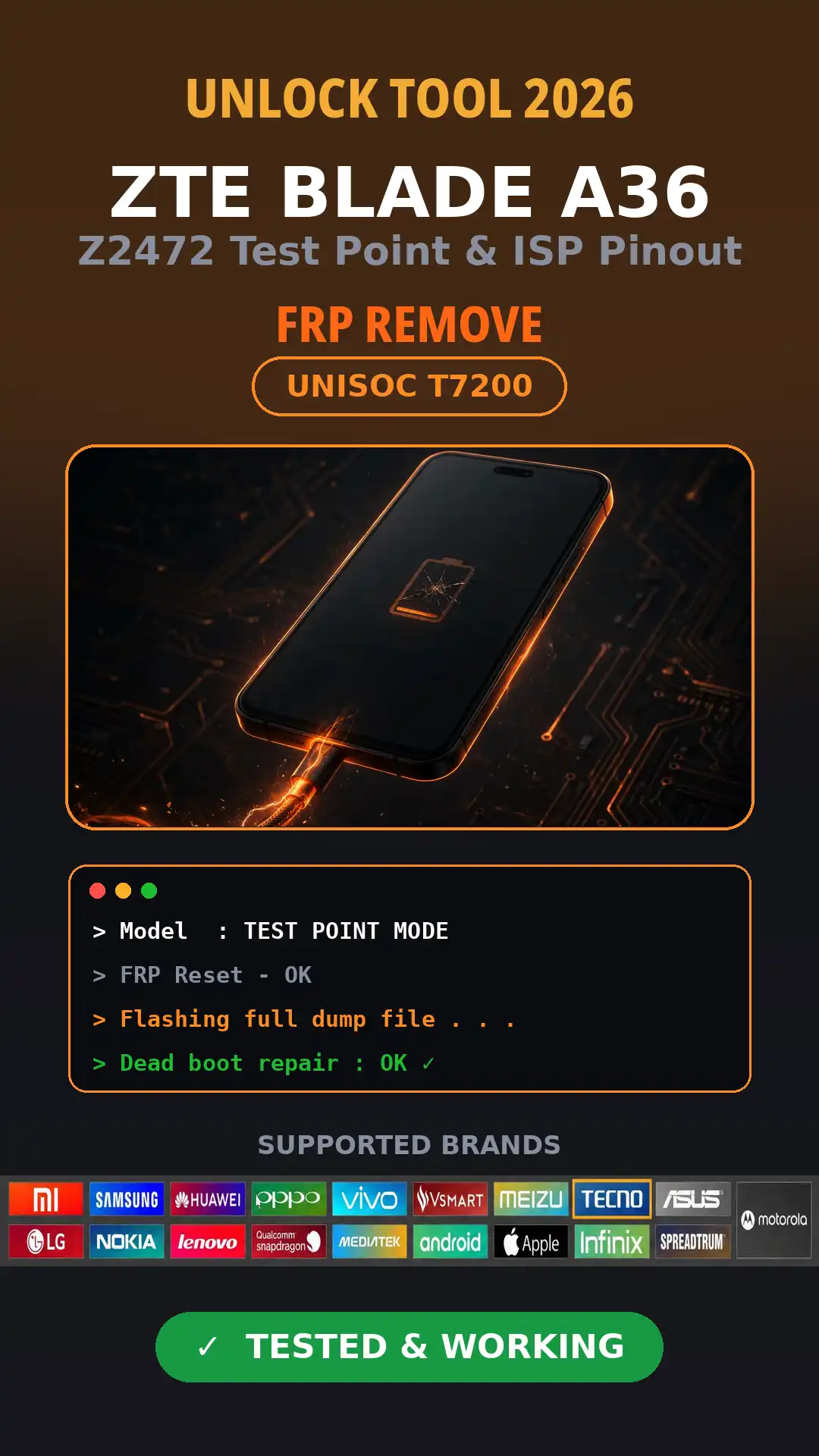
The ZTE Blade A36 Z2472 test point allows you to connect the device to various online tools—most notably “Unlock Tool”—to remove the FRP (Factory Reset Protection) lock, flash the device, or remove a screen password. In terms of mobile hardware, the ZTE Blade A36 Z2472 test point consists of specific contact points that enable you to boot the device.
Identify Your Device First: Blade A36, Z2472, P606F20 and Unisoc T7200
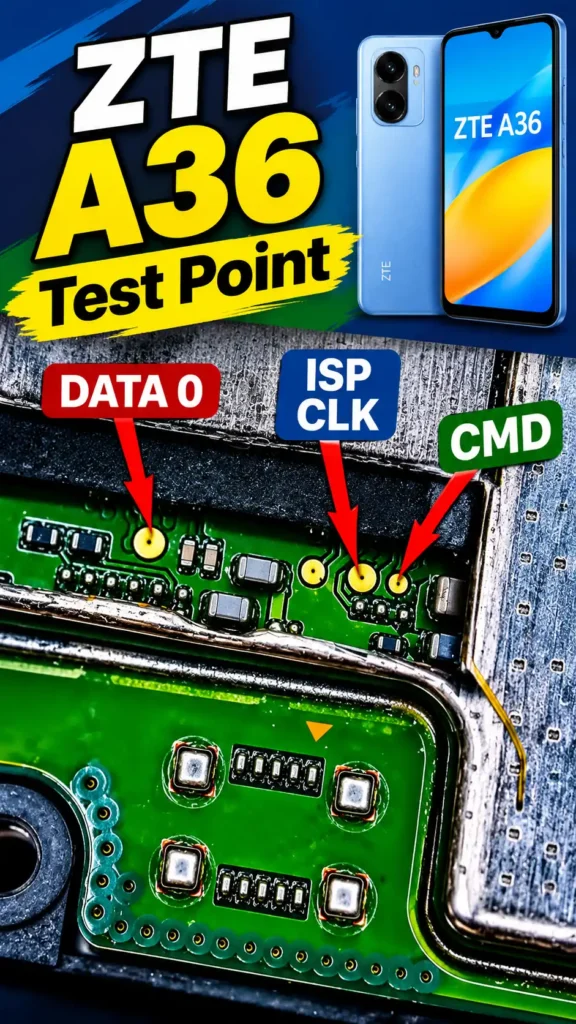
Before attempting to remove or bypass the FRP lock ZTE A36 using a test point, you should confirm that your device—model P606F20 (ZTE Blade A36 / Z2472)—is equipped with a Unisoc T7200 CPU. Once confirmed, you can refer to our provided test point image to remove the FRP lock or screen password from your Blade A36 / Z2472 (P606F20) device.
ZTE A36 ISP Pinout and Test Point Location
The ZTE A36 ISP pinout and test points refer to two distinct locations. The ZTE A36 test point is used to facilitate booting the device for various operations—such as removing an FRP lock, clearing a screen password, or performing a firmware flash—via specialized software tools (e.g., “Unlock Tool”). The ZTE A36 ISP pinout, on the other hand, is used for programming the flash IC (eMMC). It allows for the recovery of a “dead-boot” (bricked) device by connecting to the mobile’s flash IC via the ISP pinout, enabling the use of a supported tool (such as a JTAG interface) to flash the device or write a “dump” file.
Remove FRP on ZTE A36 With UnlockTool via Test Point
UnlockTool has the capability to remove the FRP lock on the ZTE A36 by connecting it via Test Point mode. Within UnlockTool, navigate to the ‘SPD’ tab, select the ‘Unisoc T7200’ CPU, and click the button to remove the FRP lock. Then, connect the ZTE A36 using the Test Point method. Within a few minutes, UnlockTool will remove the FRP lock from the ZTE A36.
ZTE A36 Firmware and the Test Point Method
The ZTE A36 firmware flashing requires the use of a test point. While flashing is not necessary to remove an FRP (Factory Reset Protection) lock, it becomes essential if the ZTE A36 encounters issues such as constant rebooting, getting stuck on the logo, or other similar problems. Before flashing a ZTE A36, it is crucial to ensure that the build version matches.
Which Tool Removes ZTE A36 FRP: UnlockTool, EFT Pro or Cheetah Tool?
This is a very important question, and it is essential to know which online tools support the removal of FRP on the ZTE A36. If we were to compile a top list of options,
Advertisement
- Unlock Tool can remove the FRP lock from the ZTE Blade A36 (Z2472).
- Cheetah Tool can also remove the FRP lock from the ZTE Blade A36.
- EFT (Easy Firmware Tool) also offers a feature to remove the FRP lock from the ZTE Blade A36 (Z2472).
- Chimera tools can bypass the FRP lock on the ZTE Blade A36.
FAQ
Is the ZTE A36 test point the same as the ISP pinout?
No, the two are not the same, though they are connected to each other. A u0022test pointu0022 is a small point on the motherboard that, when shorted, puts the phone into service mode , which is sufficient for FRP (Factory Reset Protection) purposes. An u0022ISP pinoutu0022 is a complete set of connections [CLK, CMD, DAT0, and GND ] used for a direct connection to the chip; this is utilized for tasks such as reading/writing data or handling a u0022deadu0022 eMMC.
Can I remove ZTE A36 FRP without a PC?
Not via the ‘test point’ method. The very definition of the ‘test point’ method is that the phone is connected to a PC—using a specific tool—to enter ‘service mode’ in order to remove the FRP (Factory Reset Protection). So, are a PC and a tool absolutely necessary? Methods that do not require a PC are different; furthermore, when it comes to an A36 running Android 15, such methods are neither effective nor reliable.
What CPU and chipset does the ZTE A36 use?
Unisoc T7200. This is an octa-core chipset from the SPD (Spreadtrum) family, featuring 2 Cortex-A75 cores and 6 Cortex-A55 cores, along with a Mali-G57 MP1 GPU. Consequently, it requires SPD drivers and an SPD service mode; it will not work with methods used for MTK (MediaTek) or Qualcomm chipsets.
Will test point FRP removal delete my data?
Generally, performing an FRP reset via a test point only removes the Google account lock; it does not preserve user data. However, if a factory reset or a firmware flash is also required, the data will be lost. Therefore, if it is possible to save any data, ensure you back it up beforehand.