
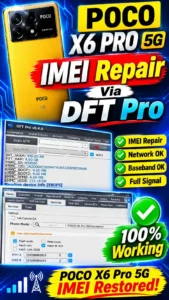
In this guide article POCO X6 PRO 5G IMEI Repair full explain how to setup by setup you…
201November 9, 2026020
FreeDownload
IMEI repair fixes a phone that shows null IMEI or no network after flashing. The exact method depends on the chipset and model — for example, the POCO X6 Pro 5G uses DFT Pro. First confirm your model and back up your data. The legitimate purpose of IMEI repair is to restore the device’s original, factory-assigned identity. Copying another device’s IMEI, or writing a new identity number, is not genuine repair.
IMEI stands for International Mobile Equipment Identity. It is the mobile device’s unique identification information, used to identify the device on cellular networks. A null IMEI problem can arise after firmware flashing, NV data corruption, NVRAM problems, baseband errors, or a failed servicing operation. When this happens, the mobile network is not detected, the SIM signal disappears, or the original IMEI information does not display properly.
Open the phone’s dialer and enter *#06#. If the IMEI information does not display, there could be an issue with the software or the device identification subsystem.
Open Settings and go to About Phone. If the baseband version shows as unavailable or unknown, a firmware- or modem-related problem should be investigated.
Insert a working SIM card and check network registration. If the SIM is detected but no signal comes through, diagnose the network, firmware and baseband issues separately.
Compare the factory-assigned IMEI information against the device’s original retail box, purchase documentation, or authorised service records.
If the original IMEI is missing or corrupted, get an authorised service provider to restore the original identity. Keep proof of ownership and original device records available for the repair.
Null IMEI means the phone does not display its IMEI number — usually after flashing, NV data corruption, or a baseband problem. The phone cannot register on the network.
Some firmware-related problems can be resolved by reinstalling compatible official firmware. But if the original NV data is corrupted, flashing firmware alone is not enough.
If the original factory-assigned IMEI records are available and the device’s hardware condition is fine, an authorised service centre can assess legitimate restoration.
Use the Request File page and send your brand, model and Android version. Our team will check if a guide is available.
– POCO X6 Pro 5G IMEI Repair via DFT Pro →
– USB Drivers for Unlock Tool →
– How to Flash a Dump File →
In this guide article POCO X6 PRO 5G IMEI Repair full explain how to setup by setup you…