The new version of Dars Unlock Tool, V5.4, is a major update for people working in the mobile…
40November 18, 2026010
FreeDownload

An UnlockTool dump file is a complete or partial storage backup — a full memory or eMMC/UFS dump — extracted or written using UnlockTool. It is used to restore a dead or soft-bricked phone, fix a dead boot, and restore NV data such as IMEI. A dump file only works for your exact model, chipset, and region. Flashing a mismatched dump can permanently damage the bootloader or eMMC/UFS chip. How to Flash a Dump File: Read full guide → What Are Dump Files Used For? Device Recovery / Brick Repair : Bringing a dead or soft-bricked phone back to life, when normal firmware flashing fails Dead Boot Repair : Fixing a phone that won’t turn on at all, by flashing it through a test point or EDL mode NV / Security Backup : Saving or restoring IMEI/NV/QCN data Cloning / Flashing : Reading a dump from a working phone and writing it onto another phone of the same model Before You Flash — Warning Check This Why it matters Exact model number A dump from the wrong model can kill the phone Chipset (MTK / Qualcomm / Exynos) Each chipset uses a different dump Region / bit version | A region mismatch will cause the boot to fail Battery + USB cable If it disconnects mid-flash, the phone can brick How to Flash a Dump File Download the dump file for your exact phone model Install the USB drivers Put the phone into EDL / BROM mode (using the test point) Select the dump file in UnlockTool and start the flash Don’t disconnect the cable during the flash — wait for it to finish FAQ What is an UnlockTool dump file? A full or partial storage backup (eMMC/UFS dump), written or read using UnlockTool. Is it safe to flash any dump file? No. A dump from the wrong model can permanently damage the bootloader or the eMMC/UFS chip. Where can I download UnlockTool dump files for free? Look for your model in the list below in this category. If your model isn’t there, send a request on the Request File page. Popular Dump Files – Samsung A05 SM-A055F Dump File → – Realme C55 RMX3710 Full Dump File → – Oppo F7 CPH1819 Dead Boot Repair → – Redmi 10 Prime Dead Boot Repair →
FRP Bypass means removing the Google account lock that appears after a factory reset. With Unlock Tool, most Samsung, Xiaomi, Motorola and Tecno phones can be bypassed by test point, COM/MTP, or one-click method — but the right method depends on your exact model and Android version, so first find your model below. See all FRP bypass guides on the main FRP Bypass page → FRP Bypass Methods Compared Method Best for Difficulty One-Click Redmi, Tecno, Moto G05 Easy Test Point Samsung A-series, Redmi 15C Medium COM / MTP Samsung Android 16 Medium Odin Download Mode Samsung Galaxy S7 Medium Before You Start Confirm your exact model number and Android version Charge the battery to at least 50% Install USB drivers for Unlock Tool first Back up your data – FRP bypass can delete data Only use these guides on your own phone, or a phone you are authorised to repair FAQ What is FRP? FRP (Factory Reset Protection) is a Google account lock. After a factory reset, the phone asks for the Google account that was on it before. If you cannot sign in, you need an FRP bypass method for your exact model. Will FRP bypass delete my data? In most cases the phone is already reset, so data is already gone. Do not start a bypass on a phone with important data unless you have a backup. Do I need a paid Unlock Tool licence for FRP bypass? The guides on this page are free to read. To run Unlock Tool itself, you need an activation, which is not free. My model is not in the list – what should I do? Use the Request File page and send your brand, model and Android version. Our team will check if a guide is available.
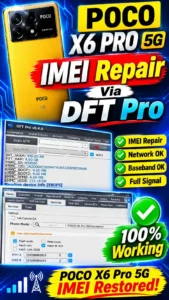
IMEI repair fixes a phone that shows null IMEI or no network after flashing. The exact method depends on the chipset and model — for example, the POCO X6 Pro 5G uses DFT Pro. First confirm your model and back up your data. The legitimate purpose of IMEI repair is to restore the device’s original, factory-assigned identity. Copying another device’s IMEI, or writing a new identity number, is not genuine repair. What Is Null IMEI? IMEI stands for International Mobile Equipment Identity. It is the mobile device’s unique identification information, used to identify the device on cellular networks. A null IMEI problem can arise after firmware flashing, NV data corruption, NVRAM problems, baseband errors, or a failed servicing operation. When this happens, the mobile network is not detected, the SIM signal disappears, or the original IMEI information does not display properly. How to Diagnose an IMEI Problem (5 steps) Step 1: Check Device Information : Open the phone’s dialer and enter *#06#. If the IMEI information does not display, there could be an issue with the software or the device identification subsystem. Step 2: Check Baseband Version : Open Settings and go to About Phone. If the baseband version shows as unavailable or unknown, a firmware- or modem-related problem should be investigated. Step 3: Check SIM Network Status : Insert a working SIM card and check network registration. If the SIM is detected but no signal comes through, diagnose the network, firmware and baseband issues separately. Step 4: Verify Original IMEI Records : Compare the factory-assigned IMEI information against the device’s original retail box, purchase documentation, or authorised service records. Step 5: Use Authorised Repair Support : If the original IMEI is missing or corrupted, get an authorised service provider to restore the original identity. Keep proof of ownership and original device records available for the repair. Before You Start — Checklist Back up your original device data. Verify the correct model and chipset. Make sure the battery has sufficient charge. Use a reliable USB cable. Preserve original IMEI records — do not use another phone’s IMEI. Do not modify NV partitions without a proper backup. Install USB drivers. FAQ What is null IMEI? Null IMEI means the phone does not display its IMEI number — usually after flashing, NV data corruption, or a baseband problem. The phone cannot register on the network. Can a firmware flash fix an IMEI problem? Some firmware-related problems can be resolved by reinstalling compatible official firmware. But if the original NV data is corrupted, flashing firmware alone is not enough. Can the original IMEI be restored after corruption? If the original factory-assigned IMEI records are available and the device’s hardware condition is fine, an authorised service centre can assess legitimate restoration. My model is not in the list — what should I do? Use the Request File page and send your brand, model and Android version. Our team will check if a guide is available. IMEI Repair Guides – POCO X6 Pro 5G IMEI Repair via DFT Pro → – USB Drivers for Unlock Tool → – How to Flash a Dump File → Disclaimer →
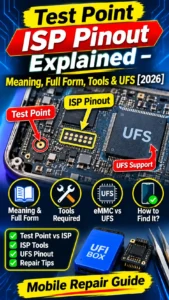
Test points and ISP pinouts are specialised hardware contacts on a smartphone’s printed circuit board (PCB) used by technicians for deep-level device repair, flashing and recovery. Shorting a test point to ground while plugging in a USB cable forces a dead, bricked or locked phone into a low-level recovery mode — Qualcomm EDL (9008), MediaTek BROM, or UniSoc diagnostic mode. What Is a Test Point? A test point is a specific gold or copper contact pad on the phone’s mainboard. By shorting (bridging) two points together — often with a metal tweezer — while plugging the USB cable into a computer, technicians force the processor to bypass the normal boot sequence and enter a deep-level service and flashing state. What Is an ISP Pinout? An ISP (In-System Programming) pinout is a set of direct hardware solder points mapped to the phone’s internal storage chip (eMMC or UFS). It allows direct read and write access to the storage memory using specialised repair boxes or adapters such as Easy-JTAG or UFI, without removing the eMMC/UFS chip from the motherboard. ISP Key Pins : Pin Meaning VCC Power supply VCCQ I/O power supply CMD Command line CLK Clock line DAT0 Data line 0 GND Ground Common Uses FRP Bypass : Removing the Google account lock after a hard reset, on supported models Flashing & Unbricking : Restoring stock firmware on a dead or bootlooping device Dead Boot Repair : Recovering a phone that will not turn on; write Dump file through EDL or BROM mode Data Recovery : Direct dump and data recovery from a severely damaged board, through ISP Repair IMEI : Boot to preloader / MTK mode, repair and restore the IMEI number. Safety First — Checklist Disconnect the battery before opening the phone. Use insulated tweezers — improper shorting can permanently damage the motherboard. Short only the exact point for your model — never guess from another model’s photo. Back up data first — most low-level procedures wipe user data. Work only on your own phone, or a phone you are authorised to repair. How to Use a Test Point Find your exact model guide below — do not use another model’s point. Open the back cover carefully and disconnect the battery. Short the test point to ground with tweezers. While holding it, plug in the USB cable. Check Device Manager — the phone should appear in EDL or BROM mode; then follow the model guide. FAQ What is a test point? A contact pad on the mainboard. Shorting it to ground while connecting USB puts the phone into EDL or BROM mode. What is an ISP pinout? Direct solder points to the eMMC/UFS storage chip, used for direct read/write without removing the chip. What is the difference between a test point and ISP pinout? A test point forces the phone into a recovery mode. An ISP pinout gives direct access to the storage chip itself. Is test point work safe? Only if you short the exact point for your model. A wrong point can short-circuit and damage the board. Do I need to open the phone for a test point? — Yes. Using a test point usually needs opening the back cover and disconnecting the battery. Popular Test Point Guides – SM-A215U Test Point – Samsung Galaxy A21 → – SM-A125F Test Point – Samsung Galaxy A12 → – Redmi 14C Test Point → – ZTE Blade A36 Z2472 Test Point → – SM-G781G Test Point – Samsung Galaxy S20 FE 5G →
The latest setup, UnlockTool-2026-11-05-0, is available for Windows. Unlock Tool is a repair tool for Samsung, Xiaomi, Oppo, Vivo, Realme and other phones. The setup is free to download and install, but using it for FRP bypass, flashing or unlocking needs an active paid licence. Download the setup, install the USB drivers first, then run it as administrator and log in. See the official setup guides for downloading Unlock Tool on the main Unlock Tool download page → What Is Unlock Tool Used For? Unlock Tool is used for FRP bypass, screen lock removal, bootloader unlock, firmware flashing, dump file repair and IMEI repair. It works on MTK, Qualcomm and SPD phones. It is a professional repair tool — use it only on your own phone, or a phone you are authorised to repair. Do not use it on a lost or stolen phone. Is Unlock Tool Free or Paid? UnlockTool Free Paid Setup download Yes — Install on Windows Yes — FRP / Flash / Unlock No Yes, Activation needed System Requirements Windows 10 or 11 (64-bit is best). Check which version your setup was tested on. At least 4 GB of RAM (8 GB is better) A steady internet connection for logging in to the server The original USB data cable, plugged straight into a USB 2.0 port (don’t use a hub) Install the USB drivers before you connect the phone How to Download and Install Unlock Tool Download the setup from the file below Add the folder (e.g. C:\UnlockTool) to your antivirus exclusions, otherwise the files might get quarantined. Extract the files first, then install the USB drivers. Right-click the .exe file and choose “Run as administrator.” Log in with your registered username and password. What Is in This Folder? Unlock Tool is an advanced mobile unlocking tool. Unlock Tool was built by a team of developers from Vietnam, and between 2017 and 2018, Unlock Tool first appeared in the mobile unlocking world under the name of developer Phan Thang — which created a stir in the mobile unlocking world as soon as it arrived. Because at that time, everyone in the mobile unlocking world was getting their work done by buying offline dongles and boxes, and for many days they faced difficulties due to dongle and box activation and technical faults in them. At that time, the Vietnamese developers entered the mobile unlocking market with Unlock Tool and started uprooting all those old box and dongle systems from the root. At that time, Unlock Tool was running on a free trial. No box needed, no dongle needed. Just download the official Unlock Tool, log in with your login ID and password, and use Unlock Tool with many features. And this is the reason why many mobile technical master experts download Unlock Tool. With Unlock Tool: FRP bypass, MDM lock removal, iCloud lock removal, screen password removal, IMEI number repair, dump file backup, flashing and restore, Samsung MTK scatter file flashing, security files (NV RAM and NV data repair, read and write), and many other features, including Samsung mobile FRP, MDM, bootloader lock and unlock, MTP mode, download mode, and many improved features for many other mobile brands. Unlock Tool gives official release updates, which is why its dominance in the mobile unlocking world remains till now. And this is a big reason why, from 2018 till today, people keep asking about Unlock Tool free download and usage. If someone needs Unlock Tool, they can buy an Unlock Tool license and use it. FAQ Is the unlock tool free or paid? The setup is free, but you need a paid activation to use it. What is the unlock tool used for? FRP bypass, screen lock removal, flashing, bootloader unlock, and IMEI repair. Is it possible to use the unlock tool for free? No, the download is free, but you need activation to run the operations. How much does it cost to activate Unlock Tool for 3 months? 3-month activation costs $20. Prices are set by the reseller — check the Packages page before paying. How much does it cost to activate Unlock Tool for 6 months? 6-month activation costs $30. Prices are set by the reseller — check the Packages page before paying. How much does it cost to activate Unlock Tool for 12 months? 12-month [1 Year ] activation costs $50. Prices are set by the reseller — check the Packages page before paying.
Unlock Tool needs the right USB driver before it can detect your phone. MTK phones need the MTK VCOM driver, Qualcomm phones need the QC driver, and SPD phones need the SPRD NPI driver. Pick your chipset below, install the driver on Windows, then connect your phone. If you install the wrong driver, Unlock Tool will not see your phone at all — even in BROM or EDL mode. That is the most common reason for “device not detected” errors. Each driver below is a separate download with its own install guide. If you want every driver in one file instead, use the All USB Drivers Complete Pack. For BROM mode work, install the libusb Win32 filter as well, because without it Unlock Tool can see an MTK phone but cannot do any job on it. Download all drivers from the main USB Drivers page → Which Driver Do You Need? Driver Chipset Best for Qualcomm QC-MTK 2.0.1 MTK + Qualcomm Most Unlock Tool jobs libusb Win32 MTK BROM mode SPD Spreadtrum 77xx / SPRD NPI USB 1.4 SPD / Unisoc SPD phones Nokia Full Drivers MTK MTK Nokia 105 / 107 / 109 / 220 Huawei USB 1.0 Kirin Kirin Dead-boot Huawei, COM 1.0 mode All USB Drivers Complete Pack All chipsets One file, all drivers Unlock Tool Driver Installer Package All chipsets One-click install Frequently Asked Questions Which driver do I need for my phone? Check your chipset first. MTK phones need the MTK VCOM driver, Qualcomm phones need the QC driver, and SPD phones need the SPRD NPI driver. If you are not sure, install the All USB Drivers Complete Pack. Do these drivers work on Windows 11? Yes. The drivers in this category work on Windows 10 and Windows 11. Always run the installer as administrator. Why is my phone still not detected after installing the driver? First check Device Manager for a yellow warning icon. For MTK phones in BROM mode, also install the libusb Win32 filter – without it, Unlock Tool sees the phone but cannot work on it. Is the driver pack free? Yes. The drivers listed here are free to download. To run Unlock Tool itself, you need an activation, which is not free.
The new version of Dars Unlock Tool, V5.4, is a major update for people working in the mobile…
The download link for the Oppo A57 CPH2387 dump file is in the info table section, where you…
When a phone won’t talk to a PC over a normal USB connection, you need to know about…
In this guide article POCO X6 PRO 5G IMEI Repair full explain how to setup by setup you…
FRP Activator AIO v3.4 is a specialized Apple-device utility built to work with Activation Lock, MDM, and related…
Aftersale Tool Box V4 2026 for GSM technicians who work on Infinix, Tecno, or iTel phones. If you’ve…
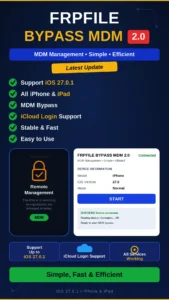
What Is FRPFILE MDM Tool? MDM stands for Mobile Device Management. When an iPhone or iPad is under…
Moto FRP Tool 2027 : Removing a Motorola FRP lock has gotten easier by 2027, but picking the…
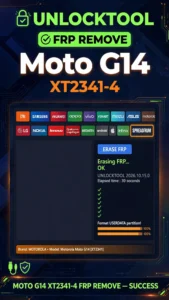
Unlock Tool-MOTO G-14 XT2341-4 FRP Remove Here’s a quick way to MOTO G-14 XT2341-4 FRP Remove using Unlock…