Redmi Note 14 FRP Bypass Unlock Tool
Redmi Note 14 FRP bypass, that too with Unlock Tool. There is a lot of searching on the internet about this. And many YouTubers have uploaded many videos, including [Redmi Note 14 FRP Unlock , redmi note 14 frp remove with test point, redmi note 14 frp bypass ISP Pintout, Redmi note 14 Bypass FRP lock online, ]. But despite this, mobile unlocker technical masters keep searching for Redmi Note 14 FRP bypass or removal. Maybe they are not getting the help or solution they want from these YouTube tutorials. So today we will talk about this and try it. After reading this article, you all will understand what the real story is.
Unlock Tool Redmi Note 14 FRP Bypass
Redmi Note 14 FRP Removal with Unlock Tool. Is it possible? Most GSM users prefer to remove the Redmi Note 14 FRP lock with Unlock Tool because Unlock Tool is activated by most users, so they will choose it first. We will talk more about this a little later, where you will get to know a lot of new things.
Setup By Setup Guide – Redmi Note 14 FRP Unlock Tool
Now here you users have to read and understand and watch carefully. Here, the whole story will be told and narrated, which will prove helpful to all of you. I will tell you the complete procedure below, in which the guide to remove the Redmi Note 14 FRP lock will be given. I will also give screenshots taken from my personal experience for guidance.
Redmi Note 14 FRP Removal via Unlock Tool
- Open Unlock Tool .
- Go Xiaomi Tab And Click Security section.
- Select Redmi note 14 Model .
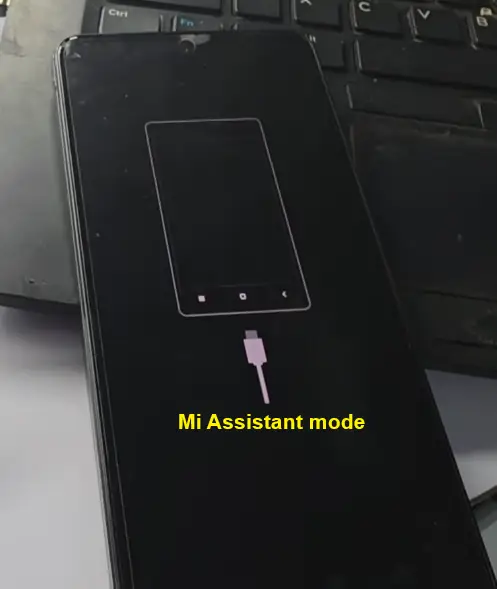
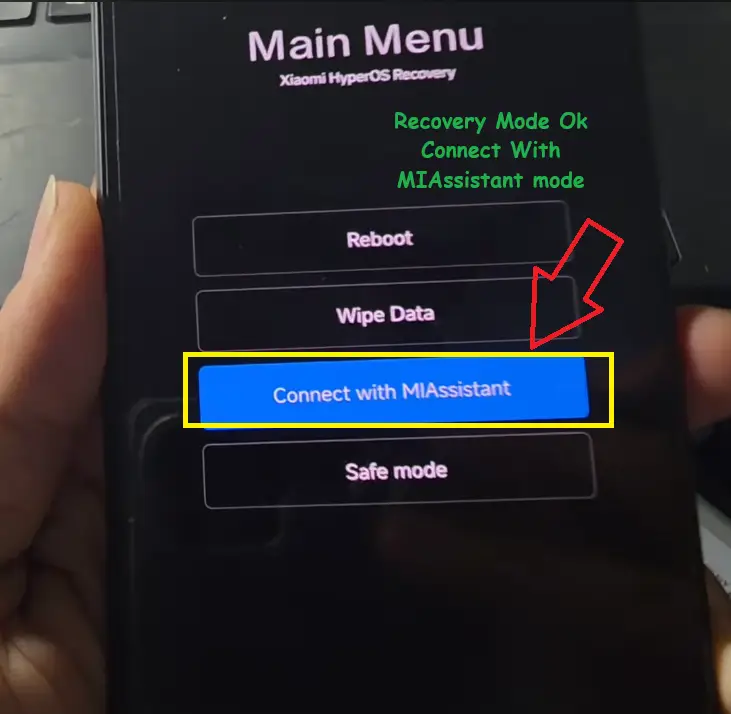
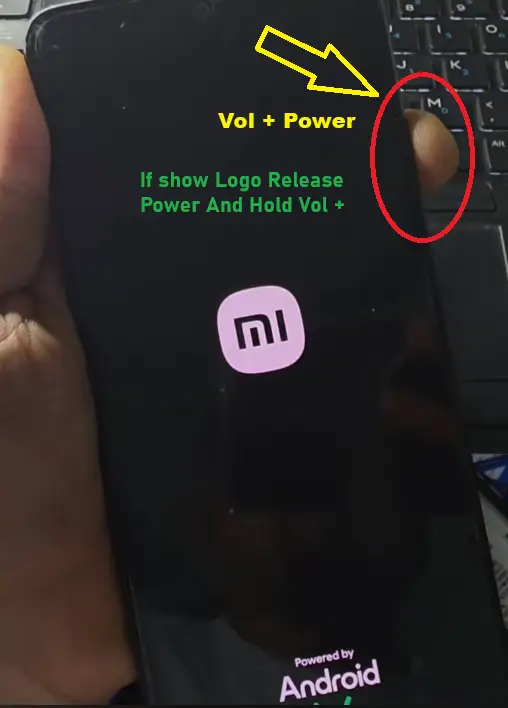
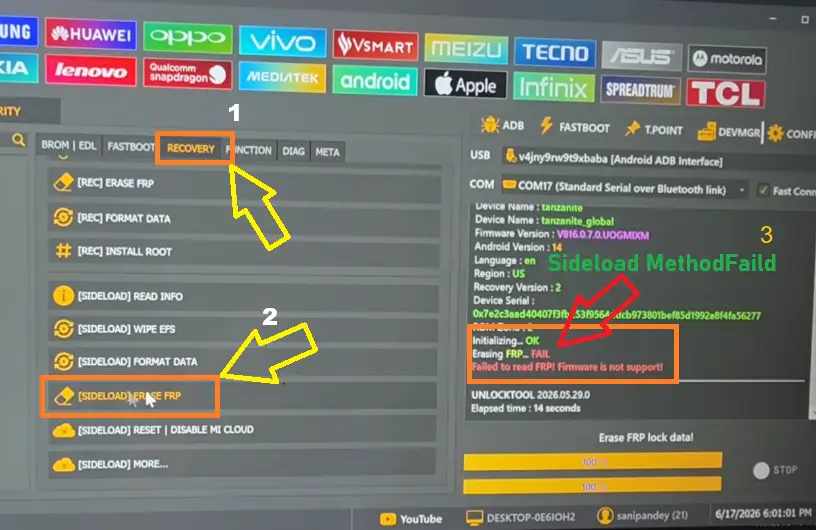
Now you put your device Recovery mode . in recvovery mode select Redmi note 14 MIAssistant Mode , now your device go MIAssistant mode .
- Now click [ sideload Erase FRP ] And Connect Redmi Note 14 Brome Mode .
- Now here Show Erase FRP Fail .
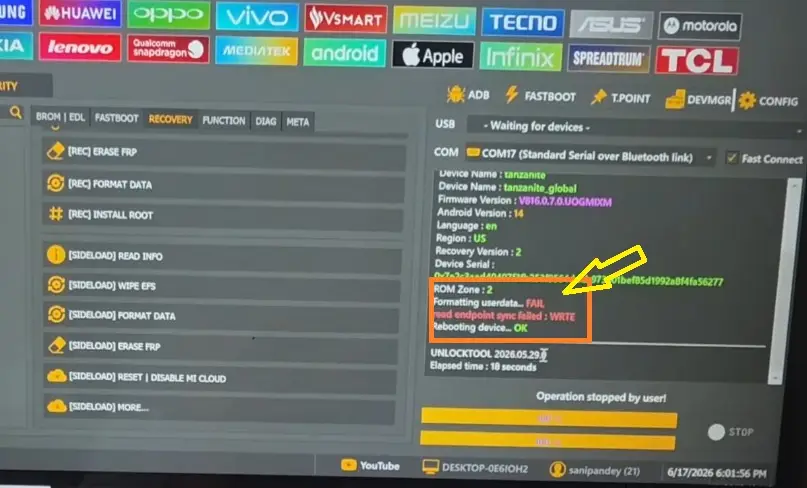
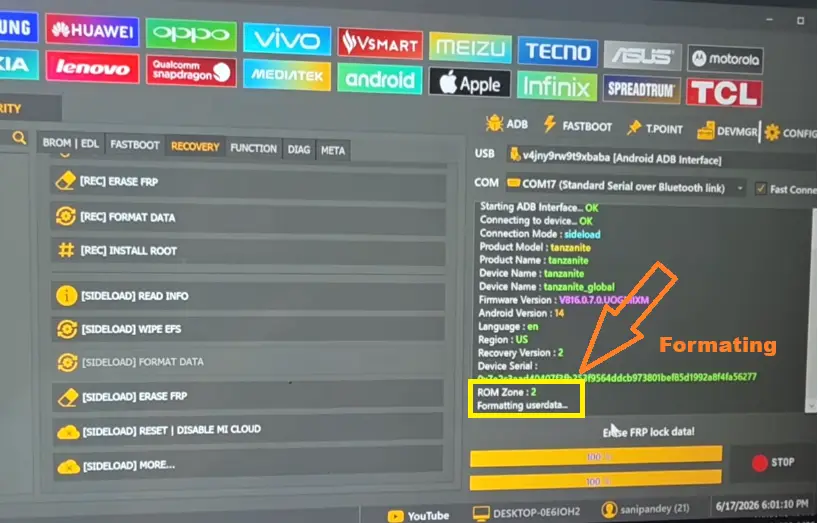
It is now clear that the ‘Unlock Tool’ cannot remove the FRP lock on the Redmi Note 14 using the ‘Side Mode’ feature. The only remaining option is to click on the [ Format Data ] within ‘Side Mode’.
if you search youtune and watch many videos . some youtuber showing this last method [ Erase Data ] done and Redmi note 14 FRP Lock Remove without Unlock Tool , and we many users daily try this method but all faild . in video last show formating in device screen but if you see Unlock Tool log status clearly show ” Formating Userdata Fail ” at mens Unlock Tool not done and this type youtube edit video and show Unlock Tool Easly Remove Redmi Note 14 FRP Lock .
Advertisement
If you compare my post with others online, you will find conflicting information. Some claim that ‘Unlock Tool’ can remove the FRP lock on the Redmi Note 14, and because of this, many new users end up renting the ‘Unlock Tool’. (There is nothing wrong with UnlockTool; it is an advanced and powerful unlocking software. However, in all honesty, it must be acknowledged that no mobile unlocking software supports 100% of all mobile devices.) As of the time I am writing this post, UnlockTool does not yet include support for removing the FRP lock on the Redmi Note 14. Currently, it only works for Redmi Note 14 devices running older security patches. Therefore, if you are presented with a Redmi Note 14 for FRP removal, you should first be aware of the correct method to bypass its FRP lock.
Redmi Note 14 Test Point Remove FRP Lock
If the FRP lock on a Redmi Note 14 cannot be removed via BROM mode using the UnlockTool, can it be removed using a test point? The answer is NO; the UnlockTool does not support the test point method for this specific patch version of the model. Therefore, do not tamper with the device’s hardware in the hope that it might work.
Redmi Note 14 ISP Pinout
Writing an eMMC Dump file after using a test point: In some versions, a dump file is written by connecting jumpers from specific points on the hardware—sometimes utilizing ISP (In-System Programming) pinouts—without needing to remove the eMMC IC. This process requires ISP pinout diagrams for the Redmi Note 14, which help identify the precise points needed for the connection.
How to Remove Redmi Note 14 FRP Lock ?
The FRP lock on the Redmi Note 14 — which is currently being removed—is handled via an “Mi Online Unlocking Service,” a service that comes at a cost. You can access this service through the owner of an online service website or via a trusted service agent found in a social group. It is important to note that you should always reach out to a reliable service provider.