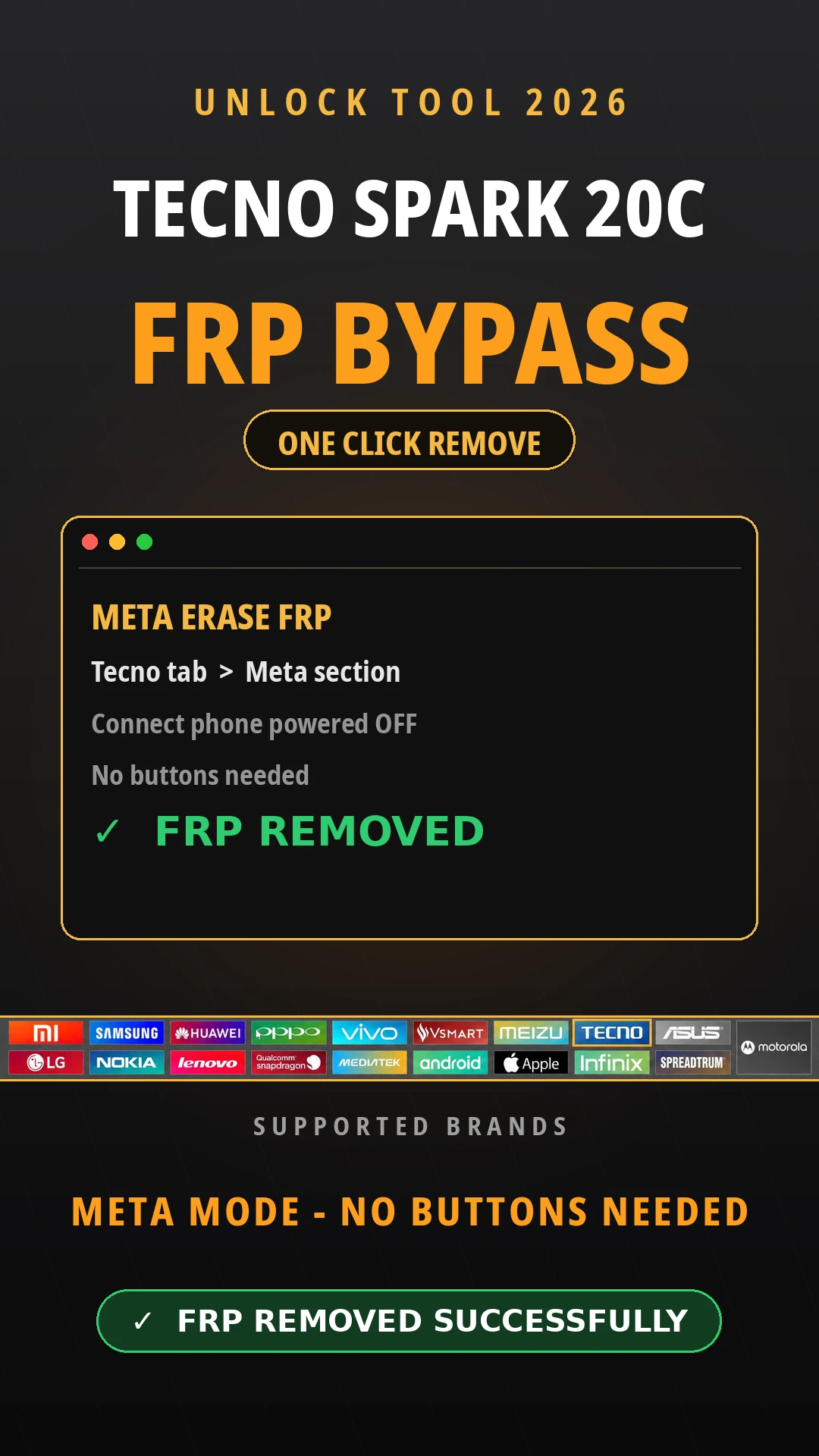
Tecno Spark 20C FRP Bypass: If your Tecno Spark 20C is stuck on the Google verification [FRP Lock] screen, Unlock Tool can clear it through Meta mode — no buttons, no download mode, nothing complicated. Open the Unlock Tool, let it fully load, then head to the Tecno tab and open the Meta section inside it. Select Meta Erase FRP, and the tool will ask you to connect a powered-off phone. That's the only thing you do by hand: turn the Spark 20C completely off and plug it in without pressing any buttons. From there, Unlock Tool detects the phone on its own and removes the FRP lock — just give it a minute. Once it's done, unplug it, power the phone back on, and walk through the setup. If it asks for Wi-Fi, skip it. No old Google account screen means you're in.
Tecno Spark 20C FRP Bypass: If your Tecno Spark 20C is stuck on the Google verification [FRP Lock] screen, Unlock Tool can clear it through Meta mode — no buttons, no download mode, nothing complicated. Open the Unlock Tool, let it fully load, then head to the Tecno tab and open the Meta section inside it. Select Meta Erase FRP, and the tool will ask you to connect a powered-off phone. That’s the only thing you do by hand: turn the Spark 20C completely off and plug it in without pressing any buttons. From there, Unlock Tool detects the phone on its own and removes the FRP lock — just give it a minute. Once it’s done, unplug it, power the phone back on, and walk through the setup. If it asks for Wi-Fi, skip it. No old Google account screen means you’re in.
What You Need Before You Start
Before using the Unlock Tool in remove FRP lock on the Tecno Spark 20C you read all requirements. Most people who get stuck halfway through this Tecno Spark 20C FRP bypass are missing one of these. Usually it’s the drivers.
Requarments
Whay You Need It
Windows PC or laptop
Unlock Tool runs on the computer, not the phone
Unlock Tool (latest version)
Runs the Meta Erase FRP process for the Spark 20C
MTK USB drivers
Lets the PC see the phone while it’s powered off
Good USB data cable
A charge-only cable will drop the connection mid-process
Charged battery
If the phone dies during the erase, you start over
Step-By-Step Guide: How to Remove FRP Lock on Tecno Spark 20C
If you are ready and you have Unlock Tool 2026 latest version. and you have all the requirements on your pc the we start the guide method; just follow the 7 steps.
Open Unlock Tool on your computer and let it fully load.
Click the Tecno tab, then open the Meta section inside it.
Select Meta Erase FRP. The tool will prompt you to connect a powered-off device.
Turn off your Tecno Spark 20C completely, then plug it into the PC without pressing any buttons.
Wait while Unlock Tool detects the phone and removes the FRP lock on its own. This part just needs patience.
Disconnect the phone once it’s done, then power it back on.
Skip Wi-Fi if it’s asked for during setup, then finish the rest of the setup wizard normally.
Common Problems and Fixes
Get this: nine times out of ten it’s the connection, not the FRP process itself on the Spark 20C. Here’s the thing — if the PC doesn’t detect the phone at all, it’s the drivers. That matters. Reinstall the MTK USB drivers and try a other USB port — the back ports on a desktop are more reliable than the front ones.
Tool freezes mid-process: wait a full minute before touching anything, since it sometimes just goes quiet for a bit. True story. If there’s still no progress after a few minutes, unplug the phone, restart Unlock Tool, and run Meta Erase FRP again from scratch.
Get this: phone turning itself back on the moment you plug it in? That matters. That’s the cable — at least that’s how I see it. Some cheap ones trigger auto power-on — swap in a known-good data cable.
Because the first boot is always slow. That matters. stuck on the boot logo after the wipe: give it two or three minutes first. Still stuck, hold the power button to force a restart. Here’s the thing — one last thing — when something fails, check the cable before blaming the software. No joke. Bad cables ruin more attempts than anything else here.
Major Safety and Accuracy Notes
Two things worth saying plainly.
First, this is for your own phone. True story. FRP is an anti-theft lock — if the Spark 20C isn’t yours, this guide isn’t for you. Second, don’t force it. And that’s key. A slow detection or a short freeze during Meta Erase FRP is normal, so give it a moment. But if the phone won’t turn on after a few tries, or it’s stuck rebooting in a loop, stop. No joke. Check the cable and drivers once, and if it’s still dead, take it to a repair shop instead of hammering the same button hoping for a distinct result.
Advertisement
Frequently Asked Questions
What does FRP mean on the Tecno Spark 20C?
FRP stands for Factory Reset Protection. It’s a Google security feature that asks for the last signed-in Google account after a factory reset, so a stranger can’t just wipe and reuse your phone if it’s lost or stolen.
Can I use Unlock Tool to remove FRP without a computer?
No. This guide covers Tecno Spark 20C Remove FRP via Unlock Tool, which runs through a Windows PC connected by USB. Unlock Tool is desktop software, not a phone app, so a computer is required.
Why won’t Unlock Tool detect my Tecno Spark 20C?
Detection failures usually come from missing MTK USB drivers, a bad cable, or the phone not being fully powered off before you connect it. Check the drivers first, since that fixes most connection issues.
Does this method work on other Tecno Spark models?
This guide is written specifically for the Tecno Spark 20C using the Meta Erase FRP function in Unlock Tool. We haven’t confirmed the exact same steps for other Spark models, so don’t assume it carries over.
Is it legal to remove FRP from my own phone?
Yes, removing FRP from a device you own is legal. This method is meant for people locked out of their own Tecno Spark 20C, not for bypassing security on a phone that belongs to someone else.
Advertisement
Can I skip Wi-Fi setup after removing FRP?
Yes. After the FRP lock is removed, skip the Wi-Fi prompt during setup if it appears, then finish the rest of the setup wizard normally to reach your home screen.
Disclaimer:
This guide is for your own Tecno Spark 20C, or one you’re allowed to repair. True story. Not for anyone else’s phone, if you think about it. Honestly, results vary with firmware, region, and tool version, so don’t treat every detail as gospel. No joke. Back up anything important first — an FRP removal resets the phone, and there’s no undo button. Get this: if a step doesn’t make sense, stop there. Here’s why. Better to ask a repair shop than to guess.